Mesh-AI · Mar–Oct 2023
Pulse
Reimagined outage planning software for the UK's electricity distributor.
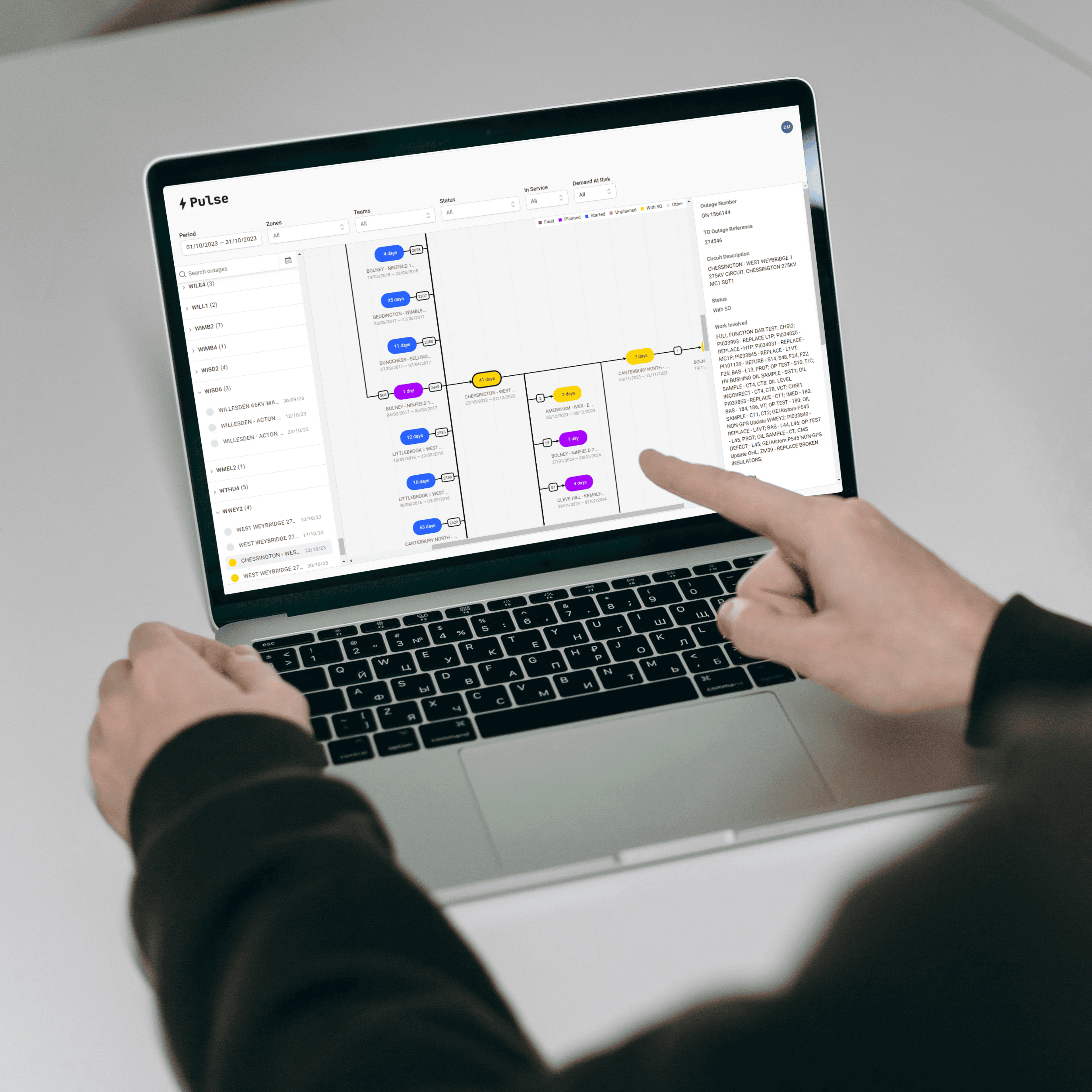
Outcome
£10m+In regulatory fines, potentially saved.Improved scheduling and planning efficiency to prevent fines from OFGEM.
- Role
- UXD Consultant
- Product
- Web app
The brief
Reimagine an outage planning for the UK's electricity network, to prevent multimillion pound fines from the energy regulator.
Situation
Mesh-AI are a global consultancy that uses data, machine learning and AI, to accelerate business outcomes for it's clients. I joined a squad of data scientists, data engineers and other specialists a year into a project that intended to reimagine a outage planning for the UK’s electricity network.
Outage planning is when a sub station is intentionally switched off to carry out essential works, to repair, maintain or upgrade the electricity network. Think of it as a planned power cut.
Problem
Outage planning suffered from a number of issues which negatively affected operational performance and profits. With this carried the threat of multi-million-pound fines from OFGEM, the energy regulator.
Goals
- Visualise an outage plan.
- Remove manual steps in the planning process.
- Make recommendations when specific works can be carried out.
- Streamline the process to use a single tool.
- Enrich data to enable better decision-making on work items that can/cannot be taken in sequence.
- Identify consequences in the plan to prevent regulatory fines.
My Role
- Ran ideation sessions/workshops to solve problems, form research goals, and align all contributors.
- UI design + prototyping with Figma.
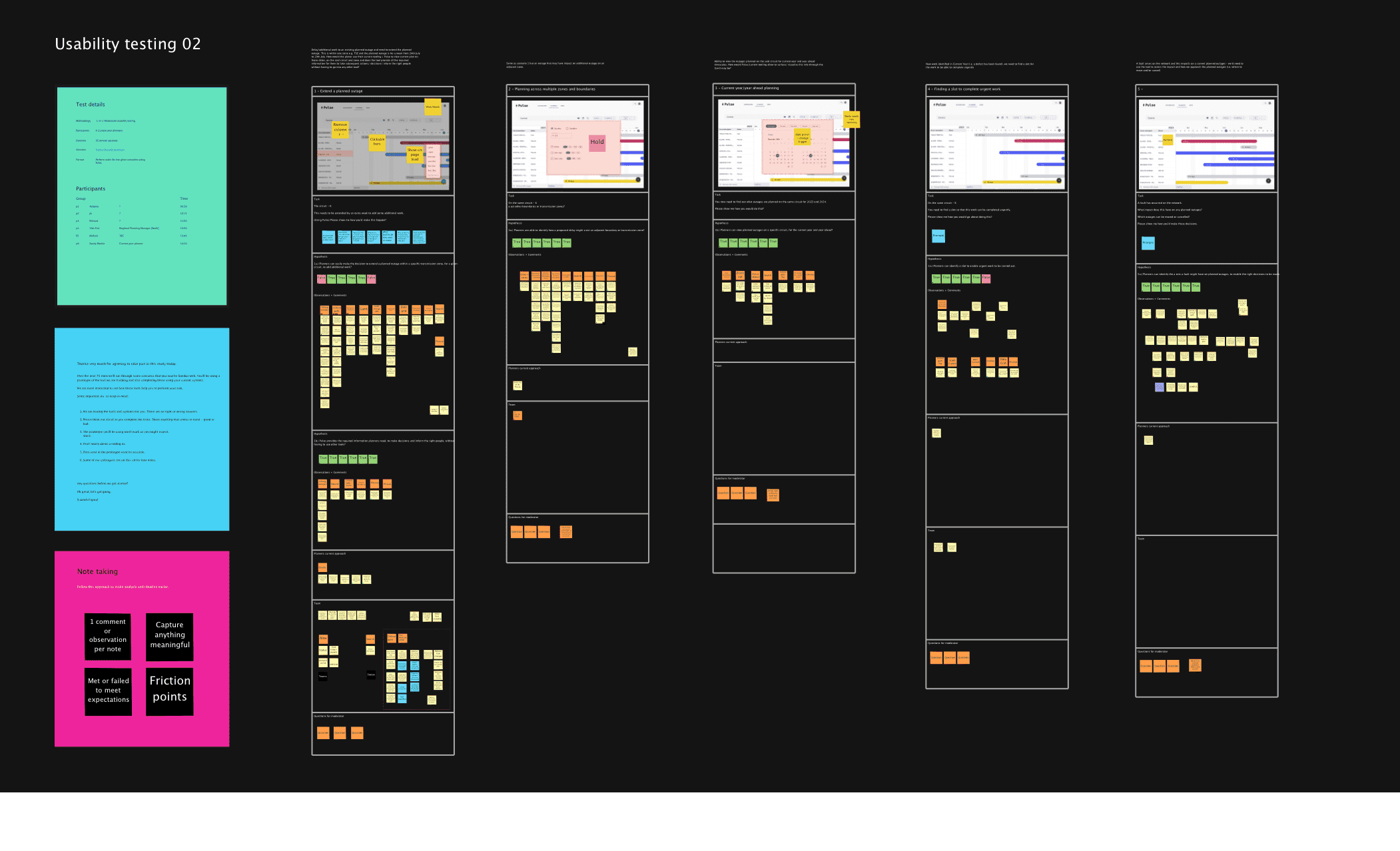
- Practiced and coached the squad on face-to-face, moderated usability testing, including capturing observations and actioning insights.
Complication
The project was riddled with complexities and challenges throughout:
- Lack of trust planners our target users were not engaged in this project. Some were concerned that AI would replace them.
- Non-uniformity understanding how planners perform their roles — the different workflows and tools they used to achieve the same outcomes.
- Intricacies of building an interactive Gantt chart in Figma.
- Ways of Working data scientists and data engineers were not familiar with UX or product design practices.
- Gantt chart being told this is what we should build from the outset.
Why a Gantt chart?
All planners used an Excel Gantt chart to perform their roles. They believed it was the best way to visualise an outage plan. Our research also suggested that a Gantt chart was the planners data visualisation of choice — enabling critical paths to be identified for what could/could not be completed in sequence.
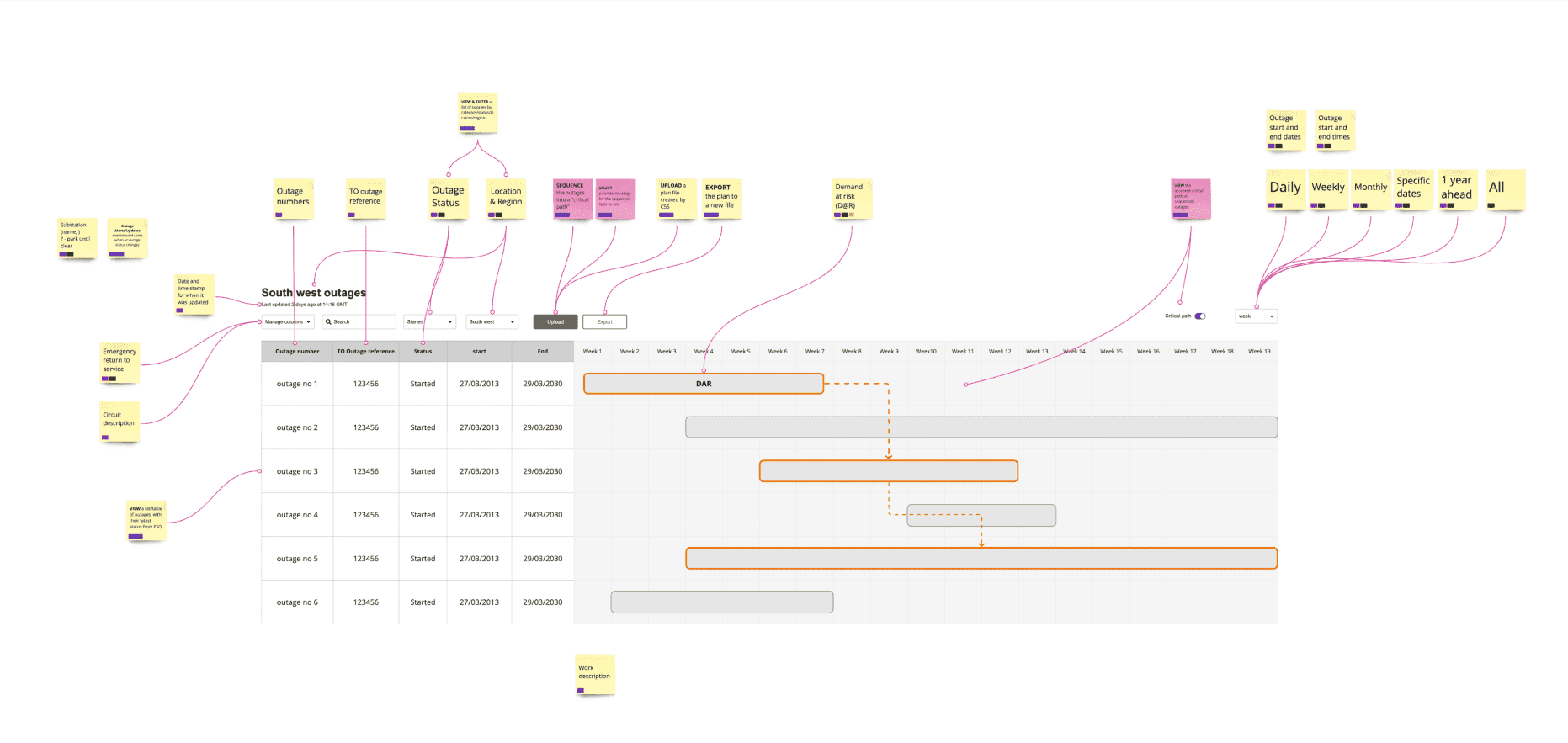
Doom Scrolling
We were aware outages can last for as little as 30 minutes and in some cases stretch beyond 20 years. We imagined planners horizontally scrolling forever, and getting frustrated. We hadn't designed or built zoom in/out capability. Even if we had, the likely hood of doom scrolling was inevitable.
Outcome Expectation
If the web app at a minimum, failed to achieve parity with existing tools, planners would not use Pulse and were likely to stick with familiar tools to perform their roles. If this were the case, it would have been a major setback to the overall project.
Getting it right would enable more features to be built and other project goals realised — ultimately to enable AI integration. It also had the potential to save the client huge sums of money, especially fines imposed by OFGEM, which in some cases had exceeded £100 million.
Remedial Action
Four weeks to go
The production ready Gantt chart as we had it, didn't offer planners any real improvements over their Excel equivalent. Concerned about the doom scrolling issue, I led a deep-dive session with the React engineer to study scales and zoom in/out behaviour.
The graphs below show scales for 2 views: (A) Hours and (B) Days.
- Outages are plotted for: 20 mins, 1 hour, 0.5 day and 1 day.
- Zoom was set at 0 and +1
Maths to calculate dimensions
I built prototypes to understand how time related to pixels and to demonstrate doom scrolling.
A) Days/Hours
- 20 mins = 16px
- 1 hour = 48px
- 12 hours = 576px
- 1 day = 1152px (Doom scrolling)
B) Weeks/Days
- 20 mins = 4px (Too small)
- 1 hour = 12px
- 12 hours = 144px
- 1 day = 288px
Prototyping these graphs demonstrated that some outages were barely large enough to interact with or required too much scrolling.
Figma prototypes were shared with a lead planner to gauge the magnitude of the identified issue, and as anticipated the opinion was shared.
Time to Pivot
I looked back at a previous workshop for inspiration. Something jumped out as a possibility to create a more suitable data visualisation — something that did not rely on scales and complicated filtering.
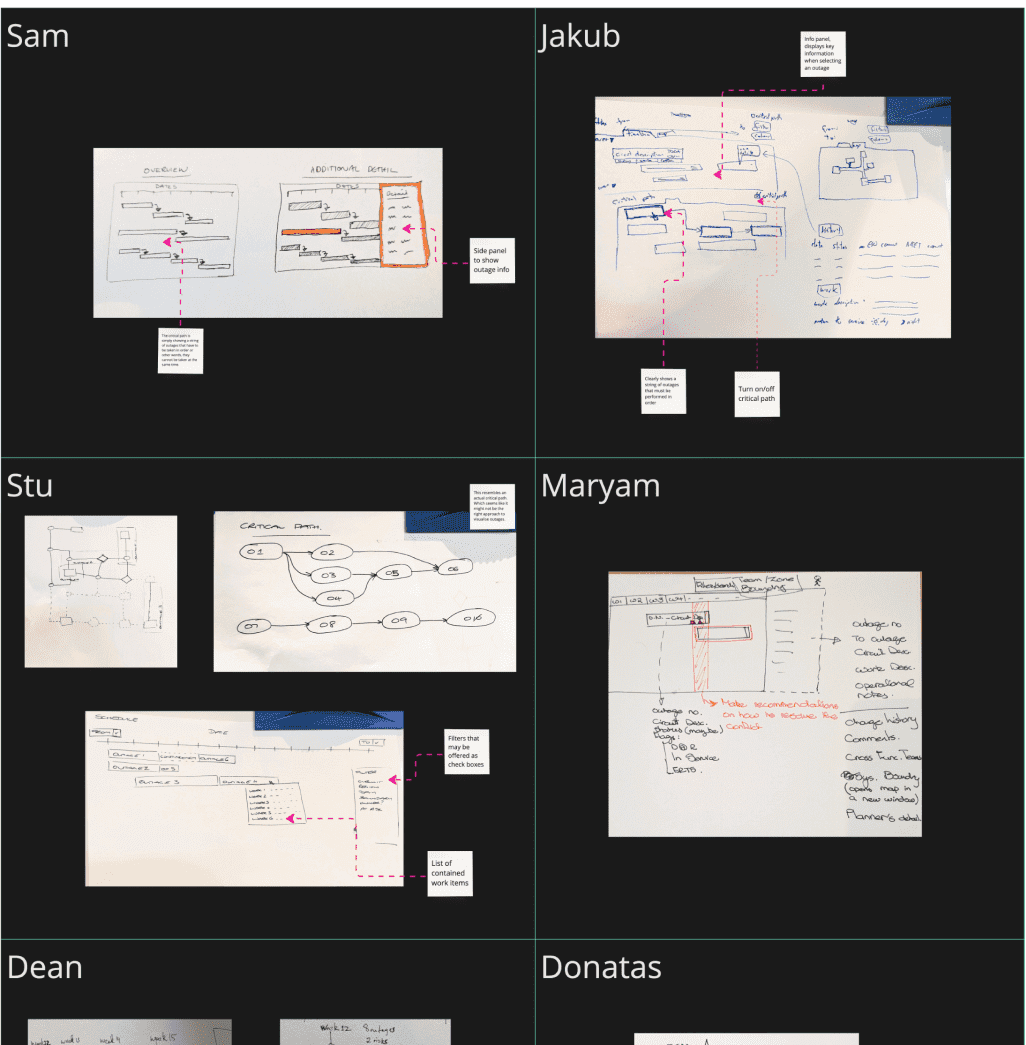
Eureka Moment
A graph that doesn't rely on scales, but instead shows opportunities and dependencies at a glance. This idea set the momentum for a major pivot.
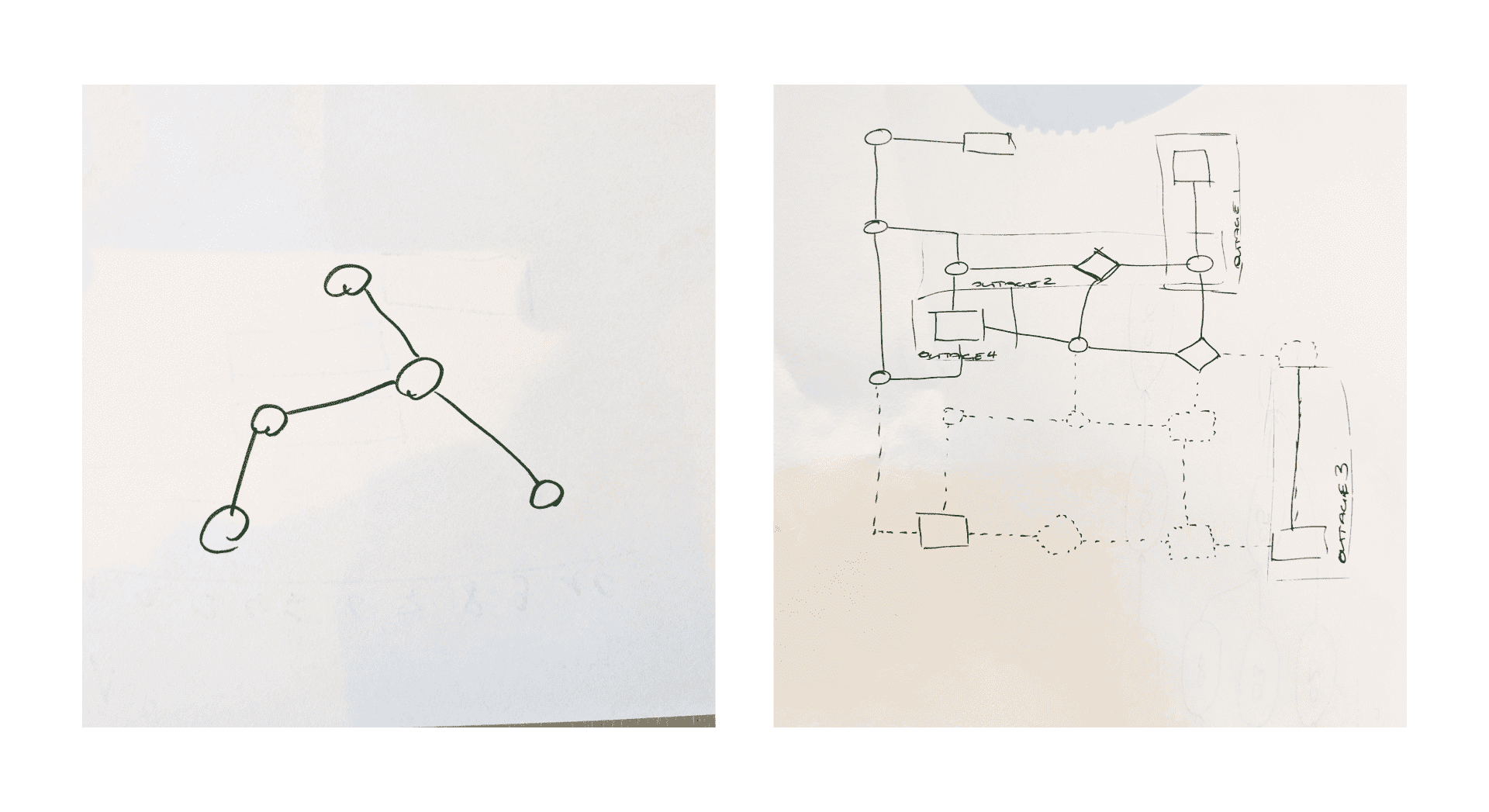
A new Data Visualisation
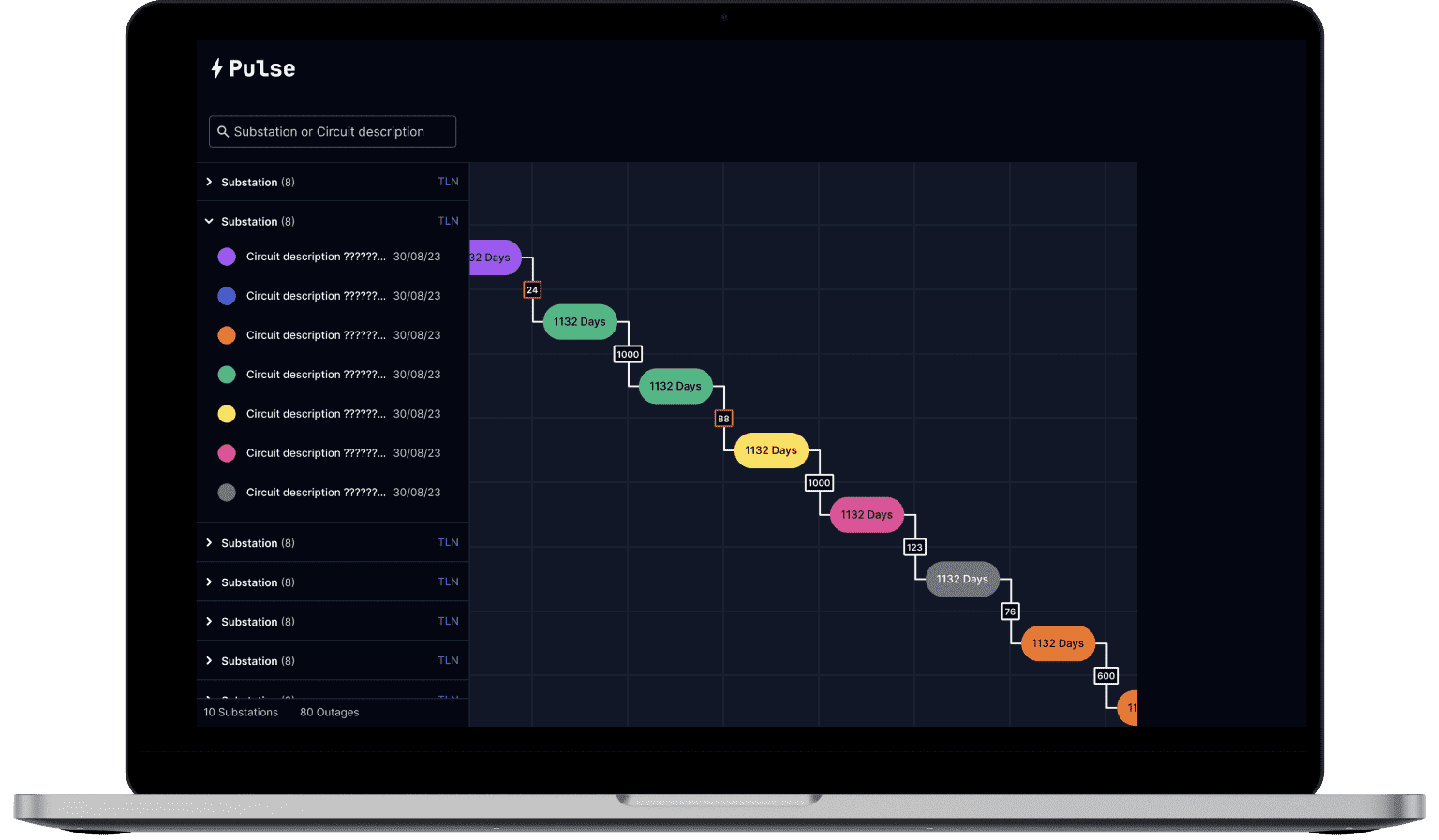
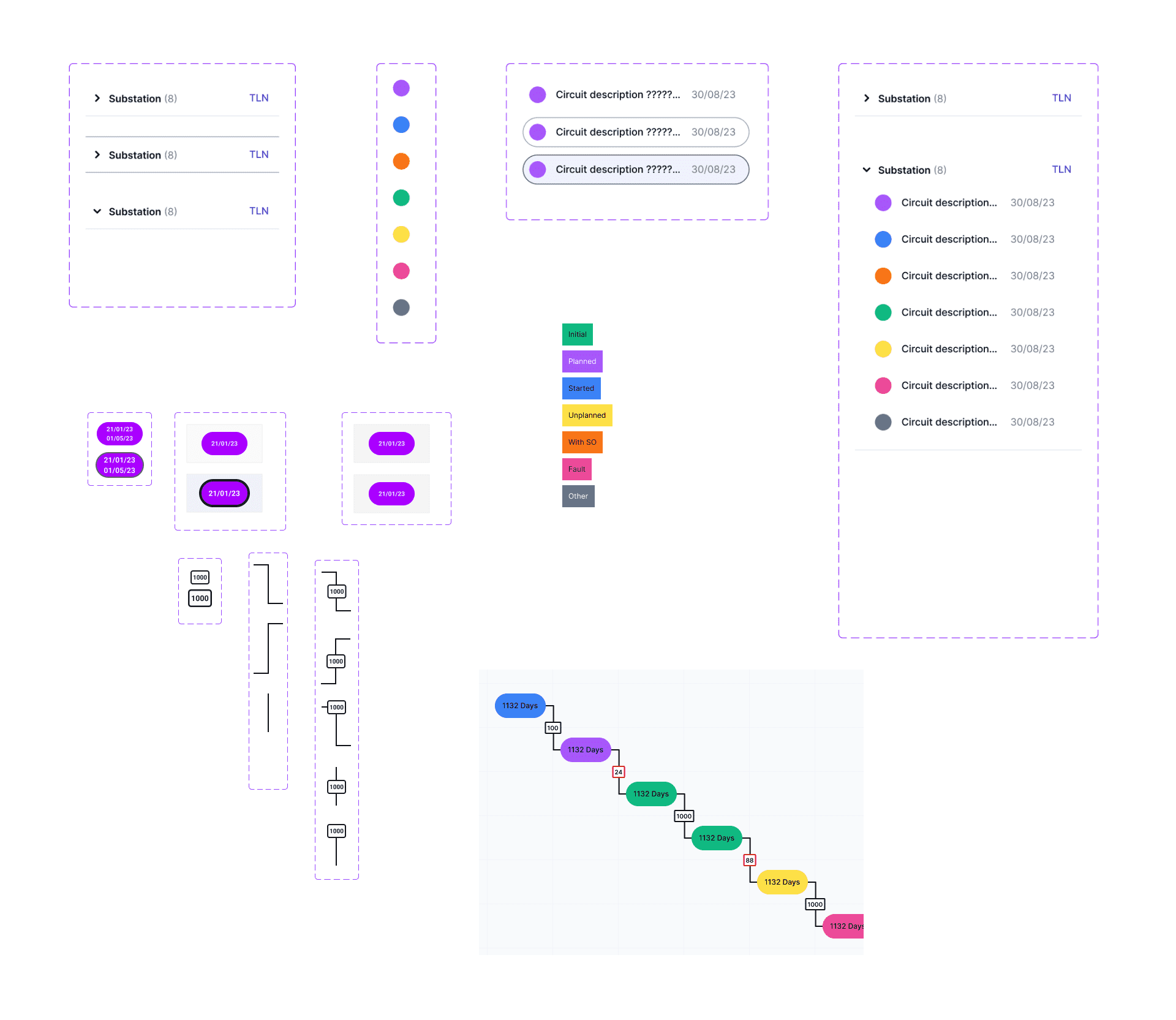
Graph Components
Pulse Evolution
As knowledge and understanding grew for how different planners performed their roles, designs evolved to handle specific use cases and work flows.
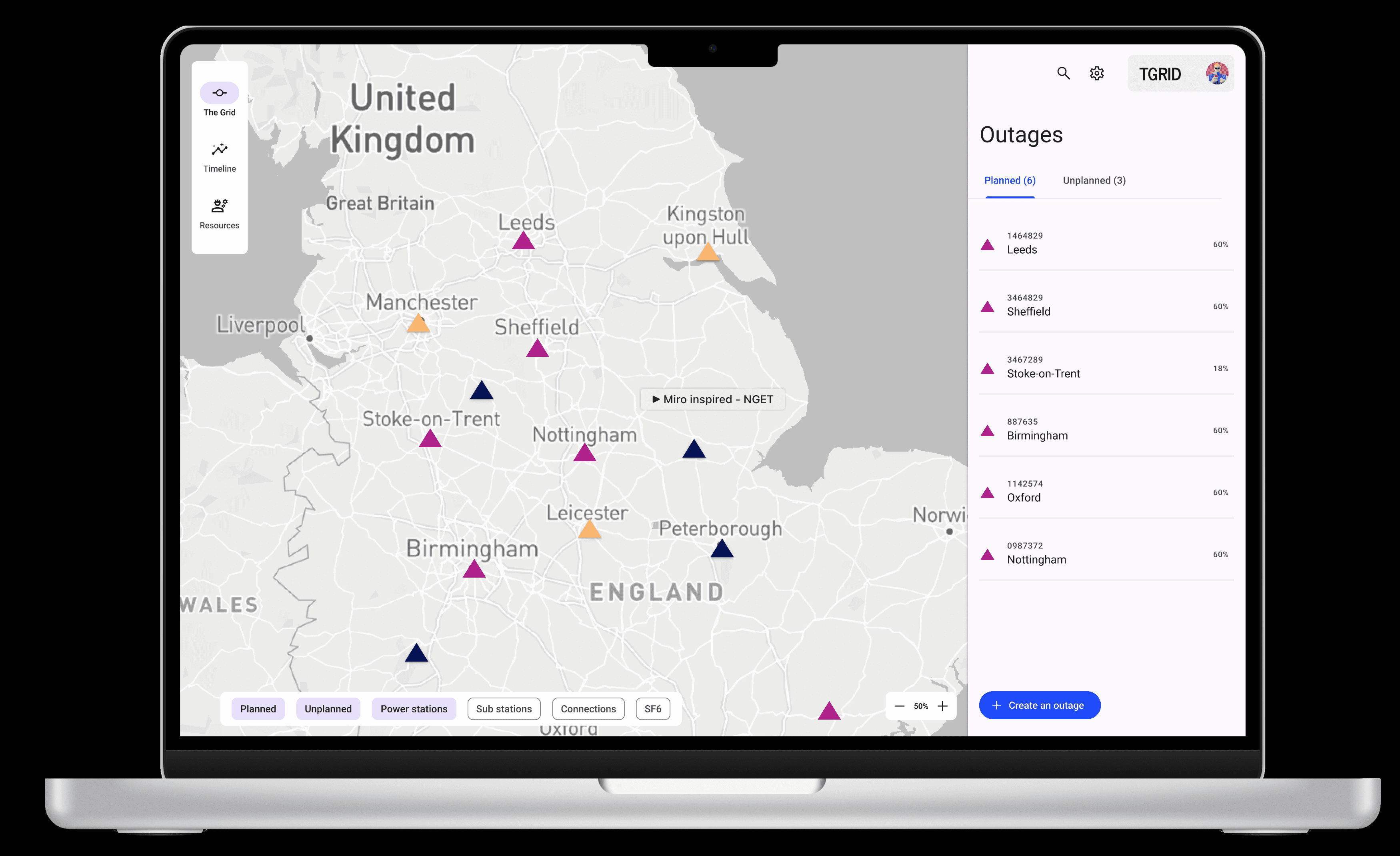
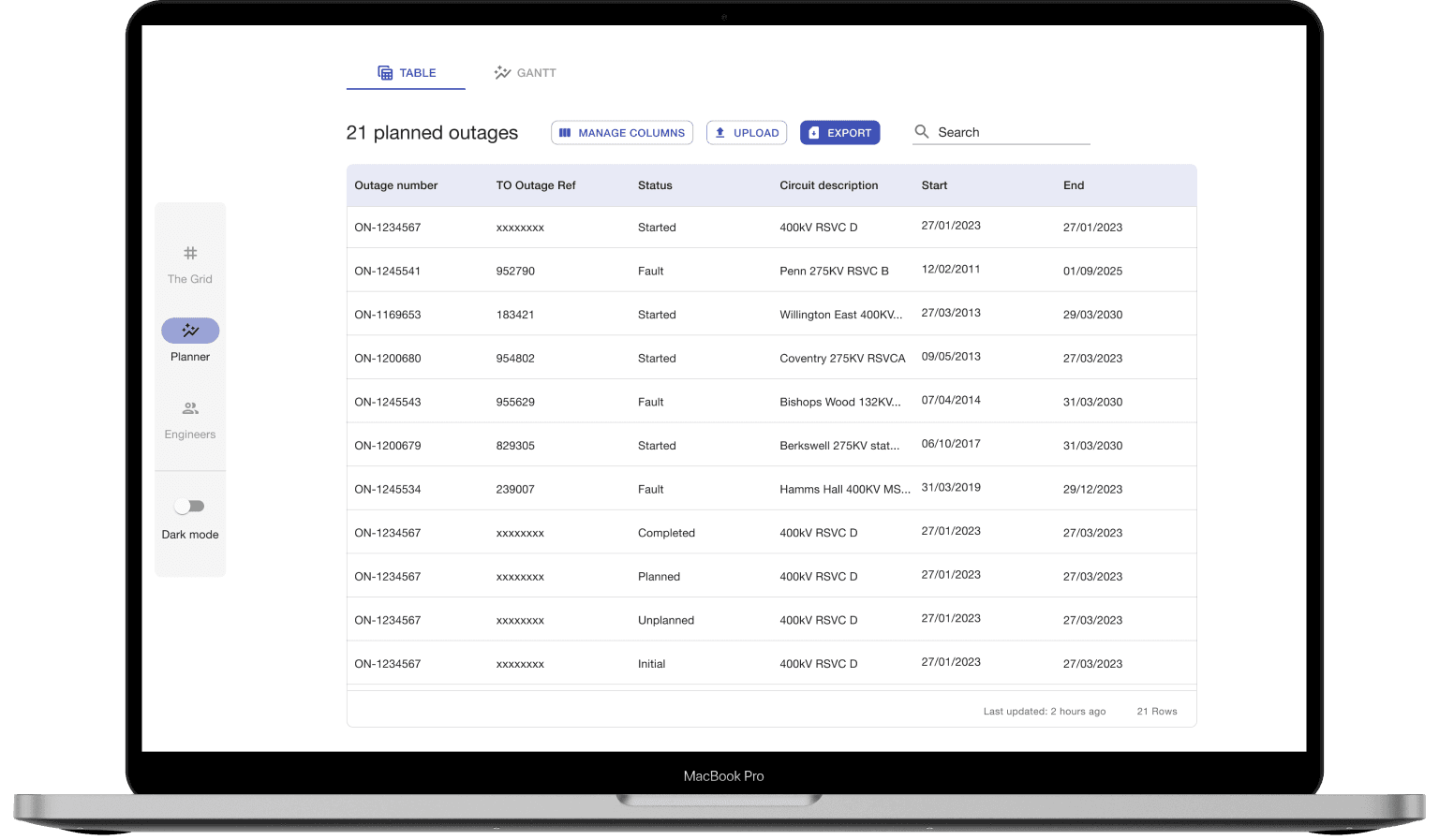
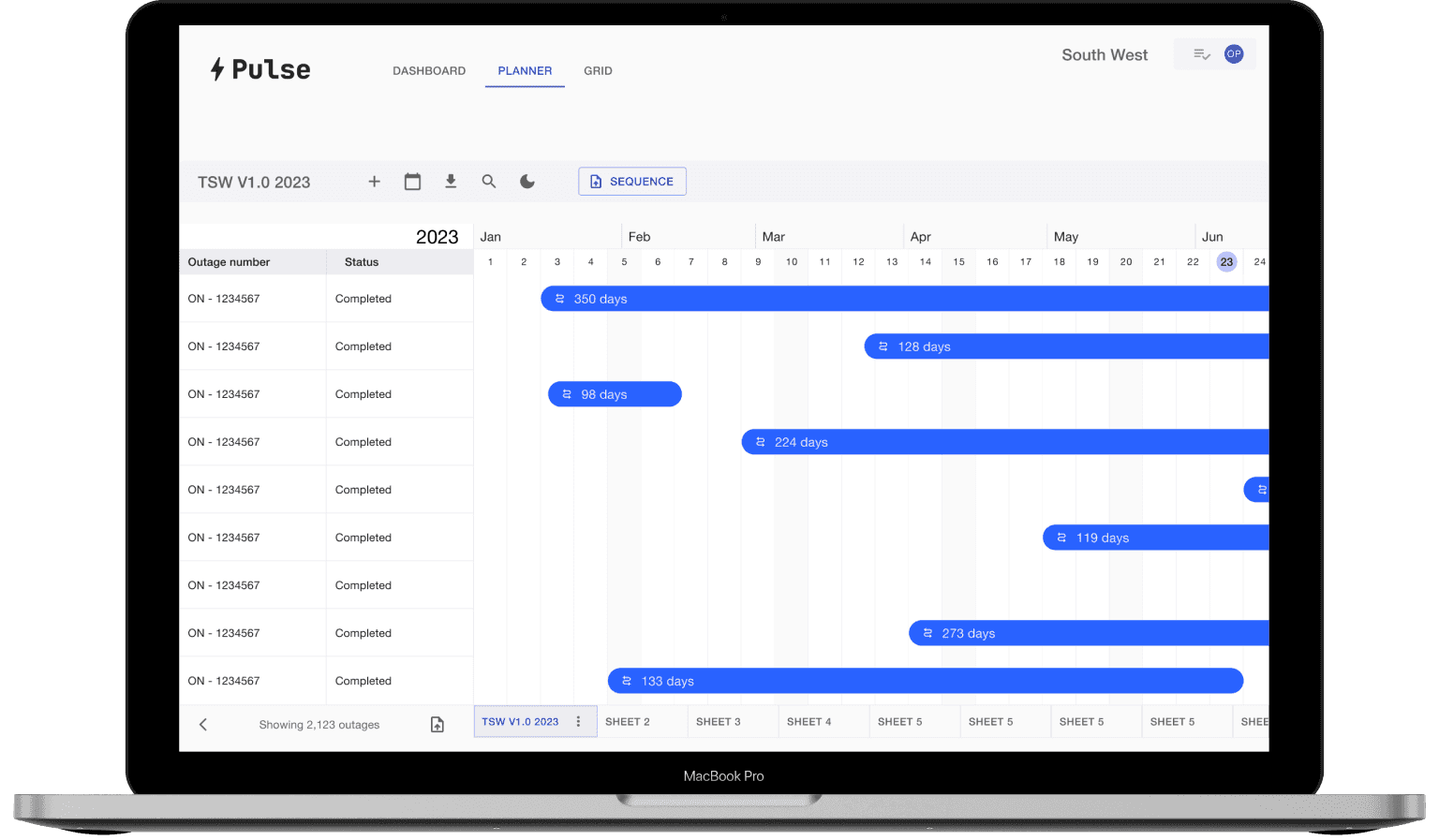
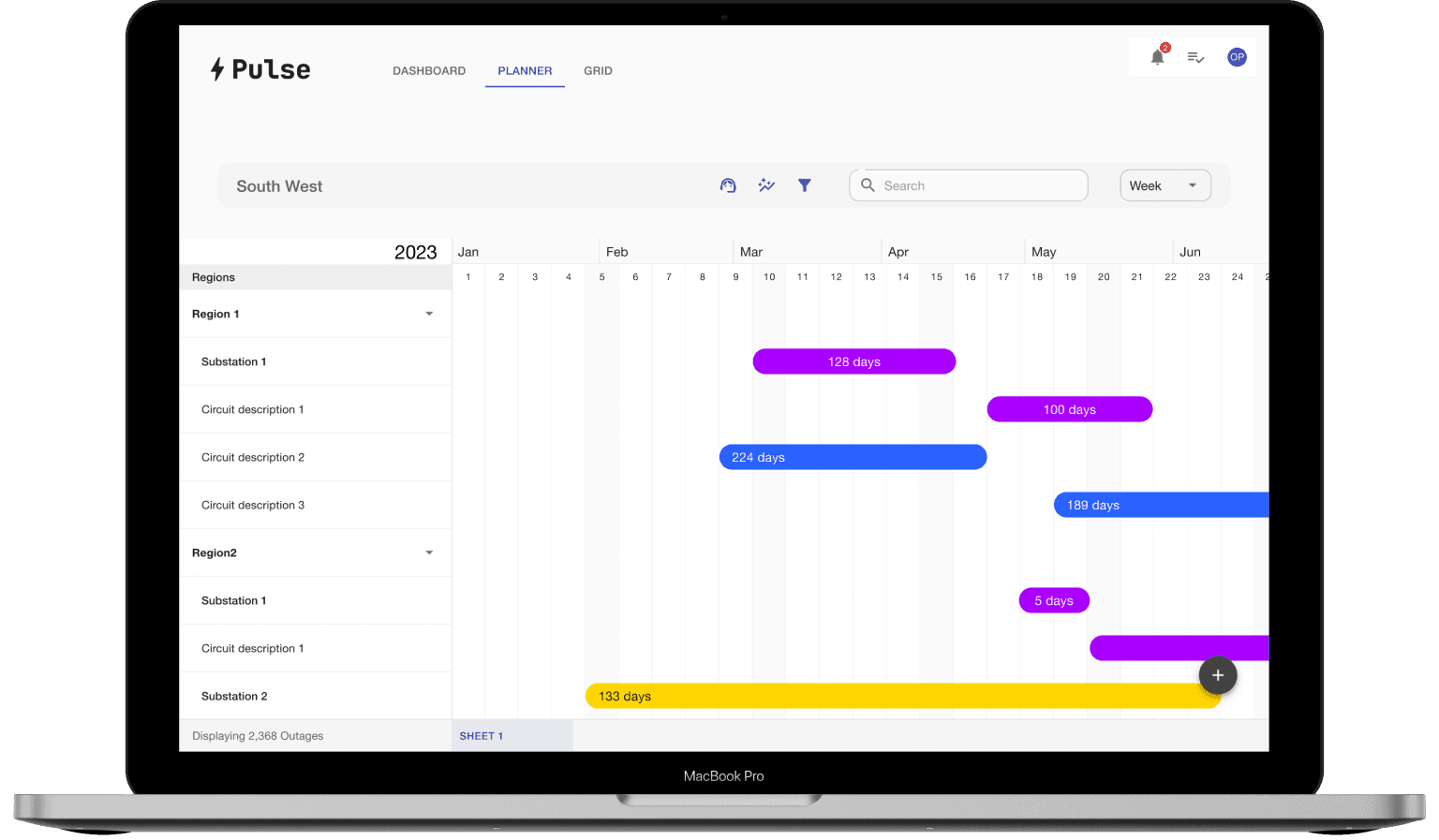
Figma Prototypes
These were regularly validated with outage planners during usability testing and research.
Filtering Data
A concept we explored that grouped different filters into a single panel, to determine if this was more effective than single filters triggered from a tool bar.
Usability Testing
Getting it Right
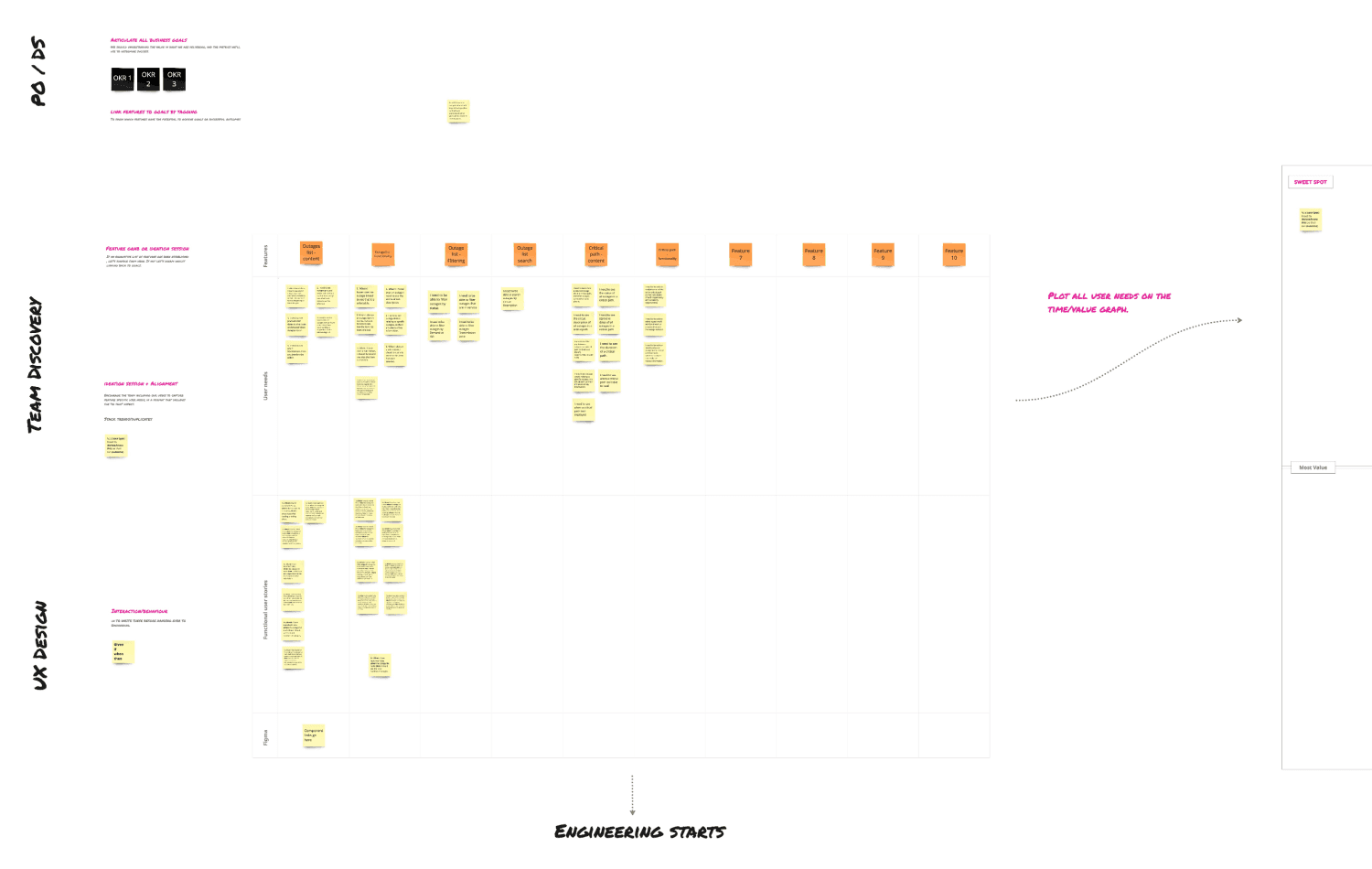
One of the biggest challenges throughout this project was to ensure we built the right things for planners. I took it upon myself to run sessions with the squad to ensure planners needs were captured and aligned to specific features. These were then arranged on a time/value graph to ensure we delivered the most value within the given time frames.
End Result
This new graph showed a list of outages, and the order in which these could be taken. It also indicated the number of days (Gap) between outages.
This offered an 'at-a-glance' view of opportunities, to enable planners to decide where additional works could be added — an essential part of optimising a plan.
Planning Reimagined
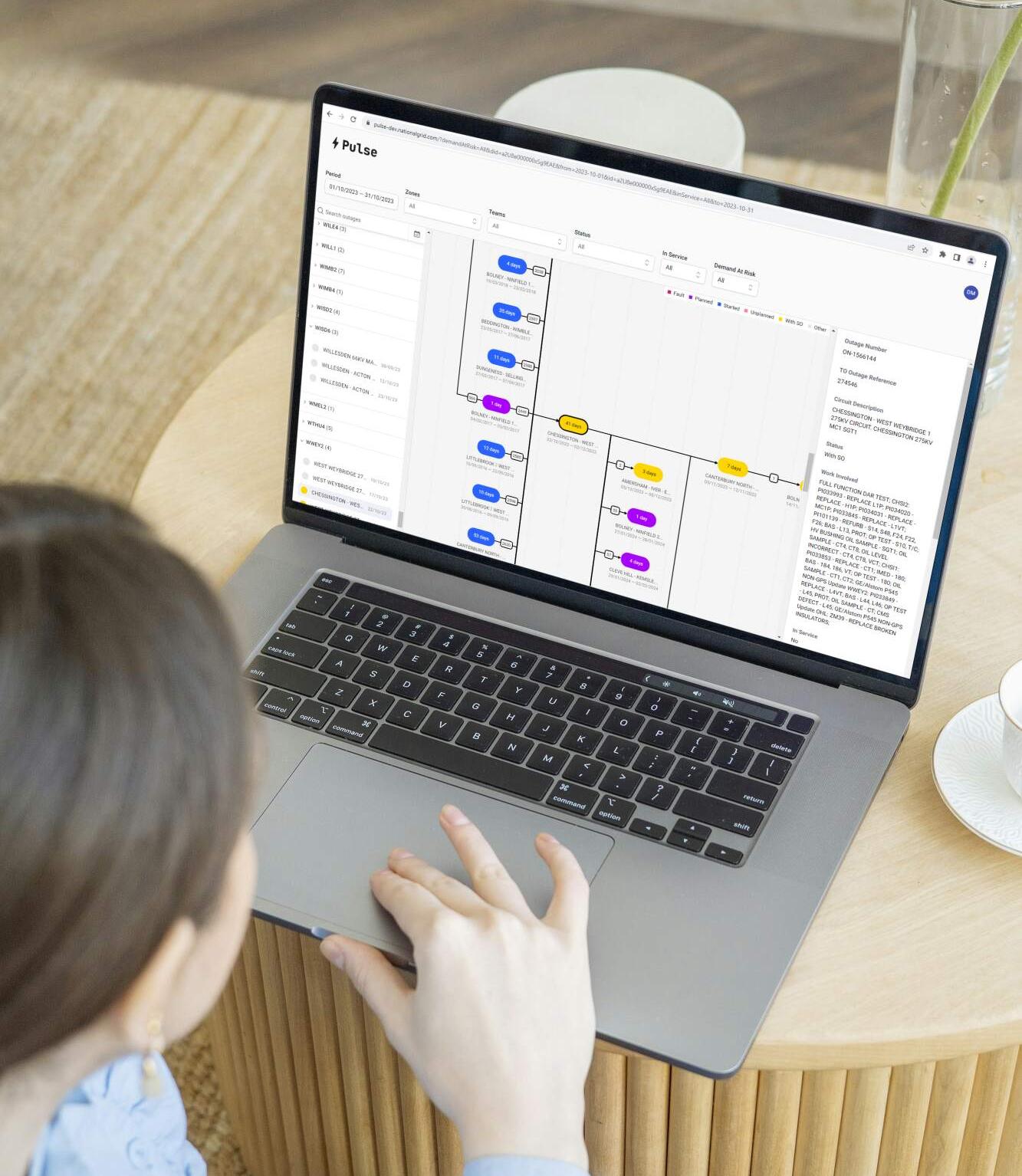
Taking this approach was a major pivot, thankfully it payed off. We ran a final usability test with planners to see how they performed typical scenarios. Little friction was observed and it proved to be more effective and efficient than the Gantt chart.
Value added
- Projected to save the client +£10M per annum.
- The delivered product achieved a system usability scale rating of 80/100.
- Improved our client/user working relationship by Involving them in our design process.
- Extensively validated concepts through usability testing prototypes.
- Upscaled the team to run qualitative research sessions.
“I worked with Dean for around eight months, on a digital product design, build and test project for one of our clients - a top 25 FTSE enterprise. Dean brings strong design skills to the table, he was able to efficiently knock out intuitive, functional prototypes in Figma, but it is his competence with product design and testing that I found most impressive. Whenever we needed to collect user needs, to setup workshops or user testing sessions, Dean presented templates and methods to accomplish our goals using best practices. He was mindful to ensure we didn't skew results or lead users to presumed conclusions. Overall he was a pleasure to work with, a humble but capable and knowledgeable guy with a good sense of humour.”
Samuel Holden
AI & Platform Engineering Leader, Mesh AI
Available now
Surrey, UK
Remote across the UK and EU, on site in London and the South East. Inside and outside IR35.